For bars, clubs & restaurants
Run your whole night from one screen
Table QR requests, captain app, kitchen screen, live floor plan, table bookings and artist bookings — for venues in cities across India and the United States.
How a night runs on Crowd&Cult
Real screens from the venue portal — nothing to install, works on any phone, tablet or laptop.
Step 1
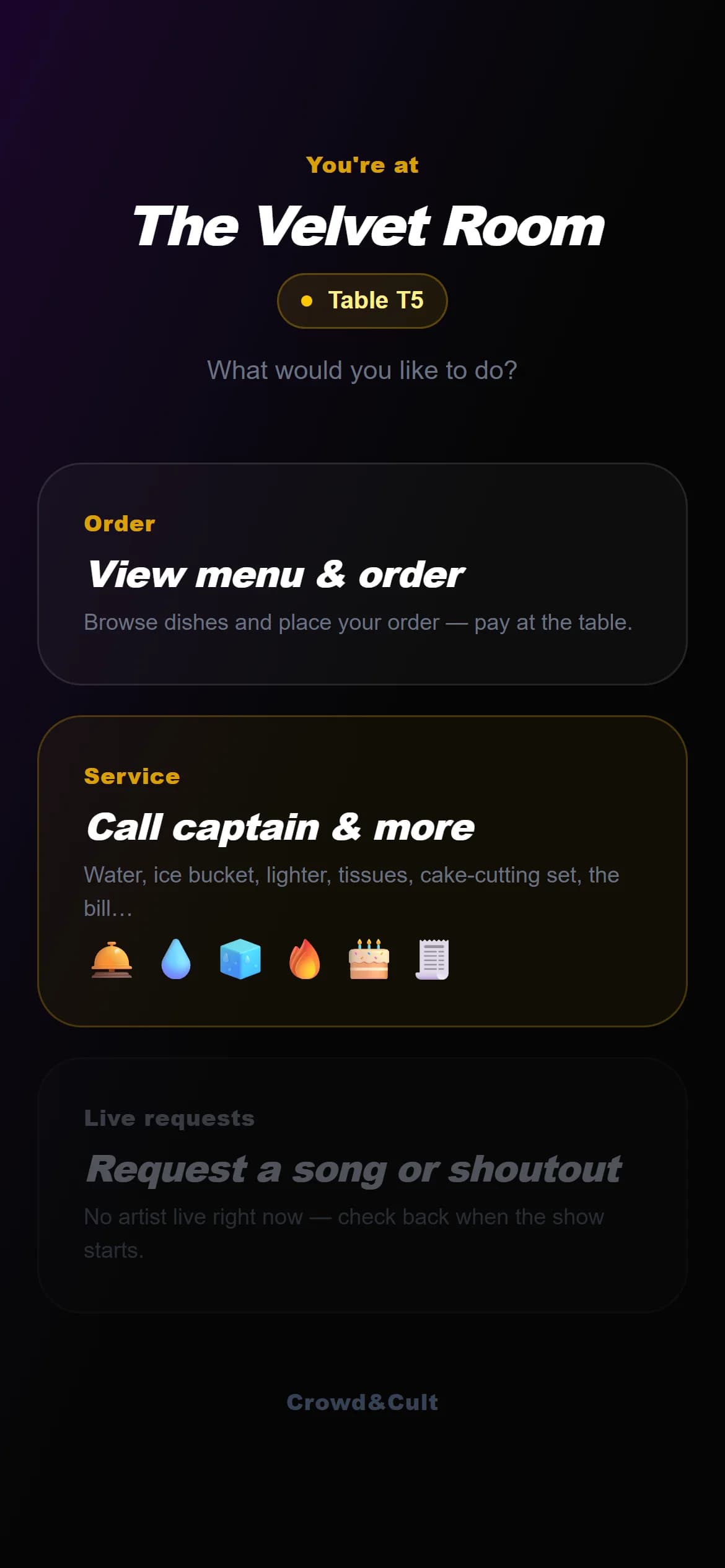
Guests scan the QR on their table
No app to download. The table is already known, so guests order from your menu or ask for water, ice, a lighter, tissues, a cake-cutting set or the bill in one tap.
Step 2
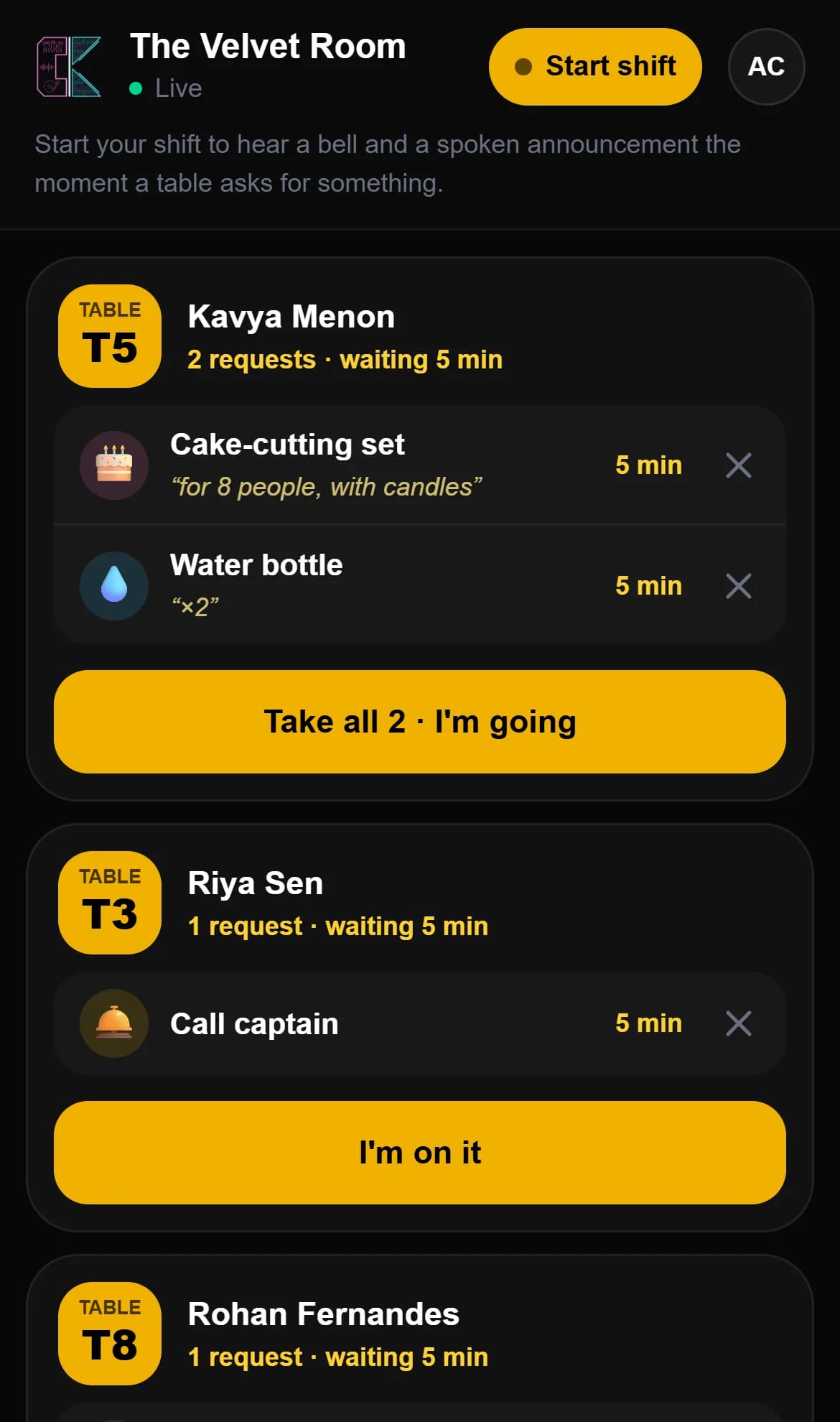
Your captain's phone rings — in Hindi or English
Requests arrive grouped by table with the guest's note and how long they've waited. A bell and a spoken announcement mean nothing is missed on a loud night.
Step 3
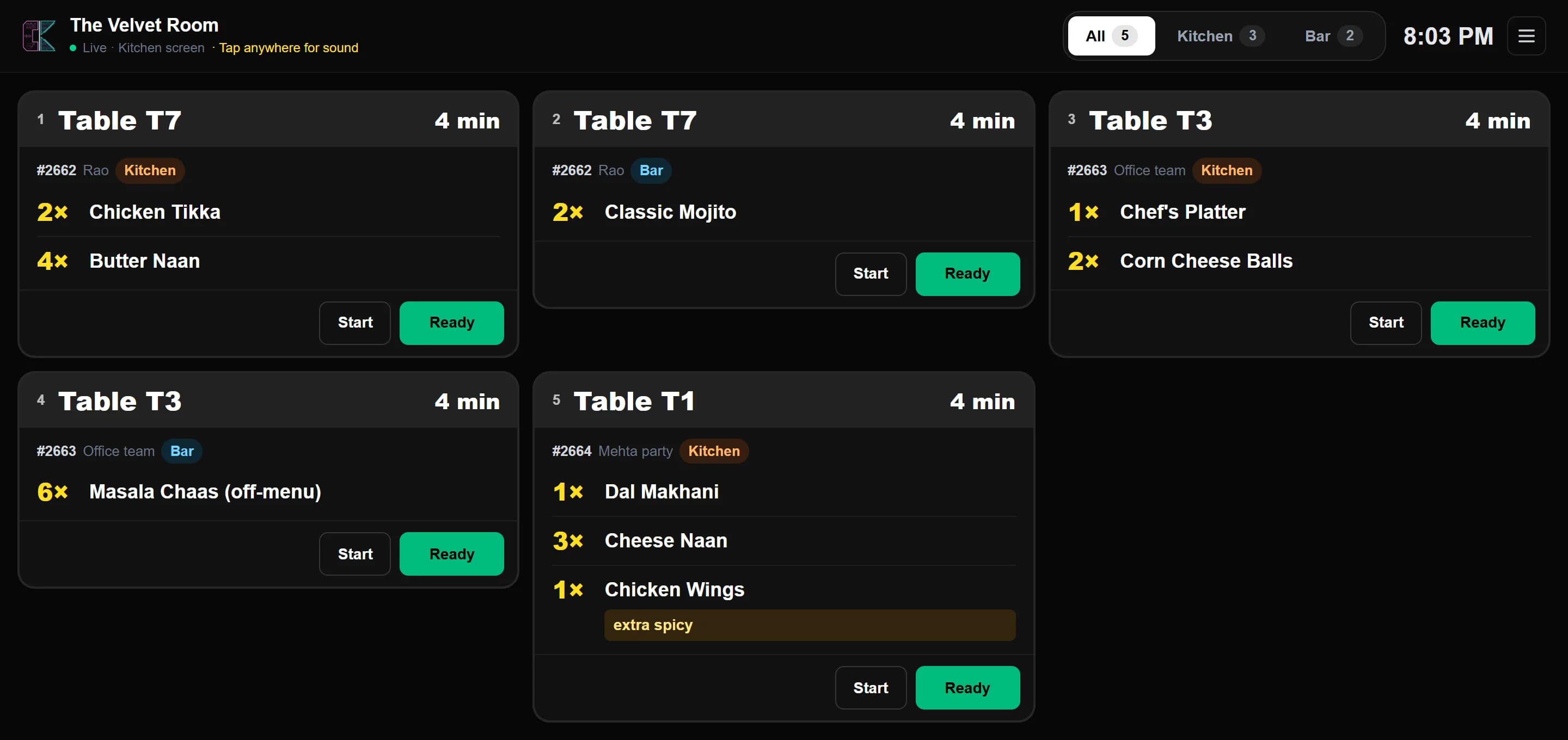
Orders land on the kitchen and bar screens
Captains can also order on behalf of a table — even off-menu items. Kitchen and bar see their own tickets, tap Ready, and the captain is told to serve.
Step 4
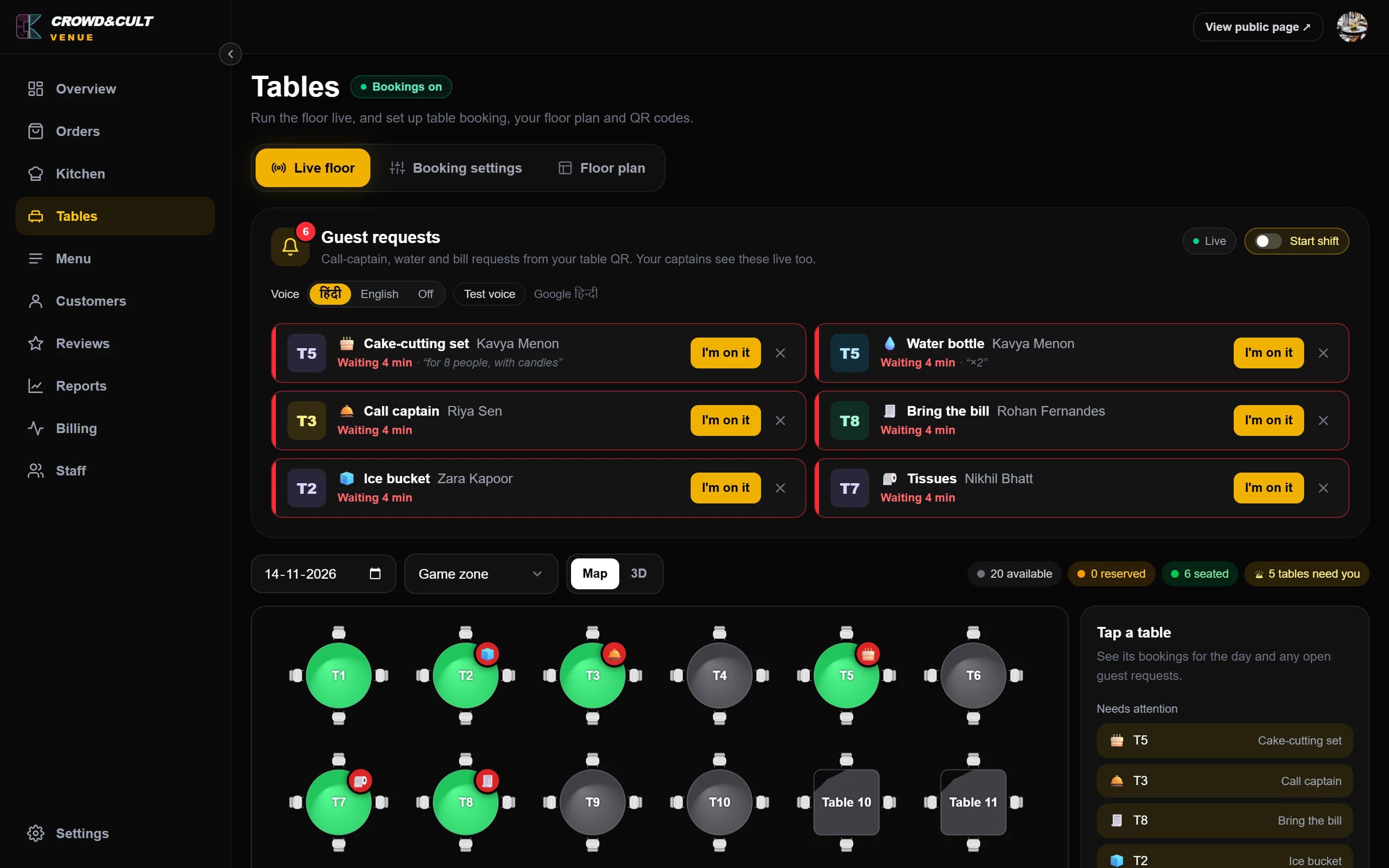
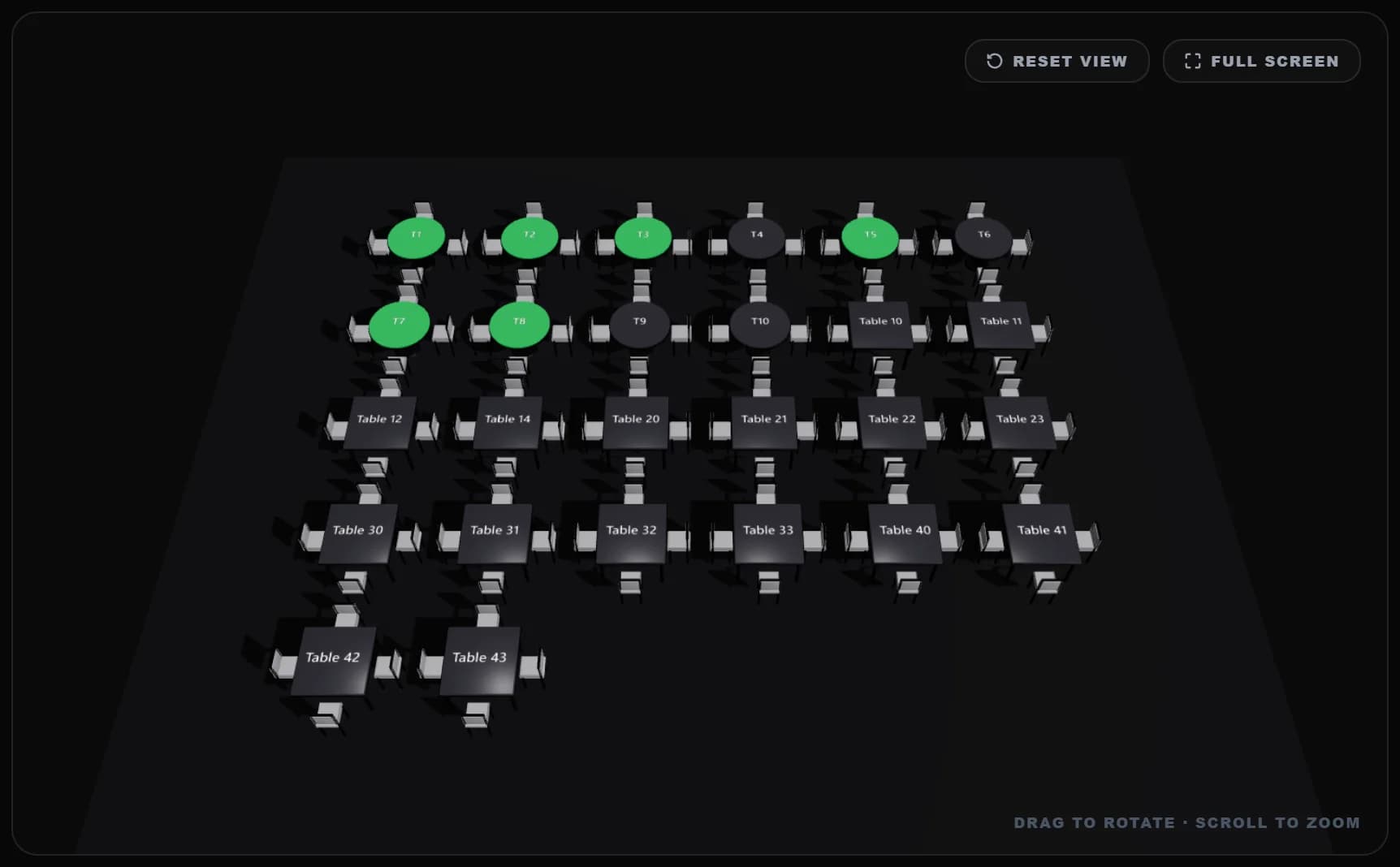
See your whole floor live — in 2D or 3D
Seated, reserved and free tables at a glance, walk-ins in one tap, and online table bookings straight onto your floor plan.
Getting started is simple
Add your tables and menu, print the table QR codes, and give your captains a login.
Everything in one place
Talent, tables, orders, tickets and your team — no separate apps to stitch together.
- Escrow
Book talent with protected payments
Browse DJs, singers, bands, musicians, anchors, bouncers and sound crews near you. Pay online when they accept — the money stays in escrow until after the performance.
- SOS
Last-minute replacements
If a booked act drops out, SOS replacement helps you find another vetted performer so the night still goes ahead.
- Tables
Table booking on your floor plan
Guests pick a table on your floor plan and reserve it online from your venue page.
- QR
QR menu, orders and bills
Guests scan the table QR to browse your menu, order, call a captain and pay — and request songs or tip the artist on stage.
- Tickets
Events and ticketing
Publish paid or free events with your line-up; they show on your venue page and on the Crowd&Cult events listing.
- Staff
Your whole team
Give captains, chefs and floor staff their own logins so everyone works from the same live view.
Venues already on Crowd&Cult



How venues get started
Register your venue, add photos, your venue type, capacity and city, and publish your menu and floor plan. Your public venue page shows guests who's playing tonight, your menu and table booking.
When you need entertainment or crew, browse vetted profiles near you, send a booking request with the date and timings, and pay once they accept. The payment stays in escrow until the gig is done.
Frequently asked questions
Which countries can venues join from?
Venues in any city in India and the United States can sign up today — choose your country and city during registration and your venue page and events appear for guests and artists there. More countries are being added.
What kinds of venues can list?
Bars, pubs, clubs, lounges, rooftops, restaurants, cafés with live music, event spaces and anyone who books entertainment or takes table bookings.
How do payments to artists work?
You pay online when the artist accepts your booking. The payment is held in escrow and released to the artist after the performance.
Do guests need an app?
No. Guests use your public venue page and the table QR code in their phone's browser to see the line-up, book tables, order and pay.